Raw or Cooked Weights: Log Meal Prep Right
If you meal prep, the raw-vs-cooked question can quietly wreck your calorie and macro math. This guide gives a simple rule-set, real food examples (rice, pasta, chicken), and a reliable way to log batch-cooked meals without database guesswork.
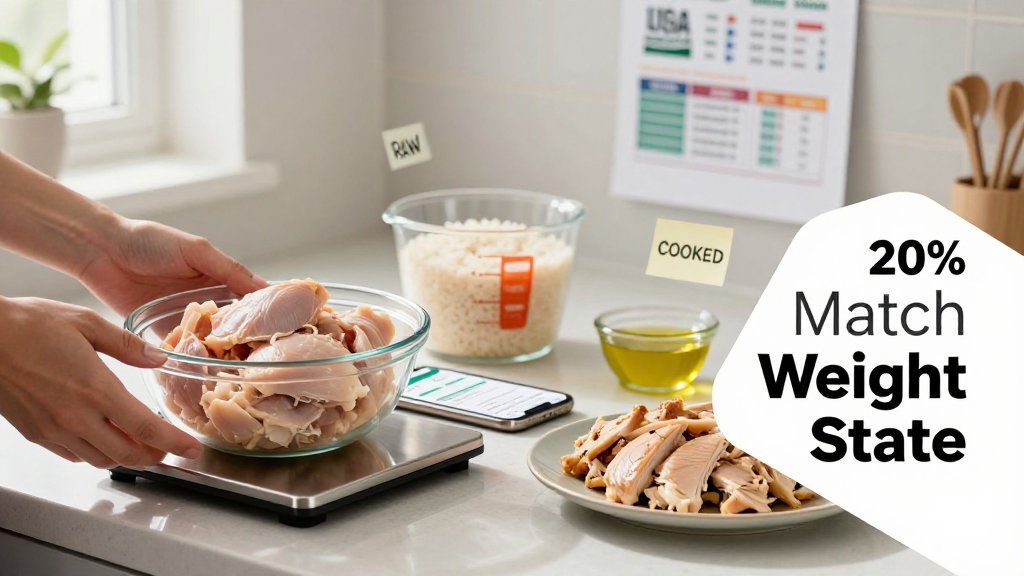
If you have ever weighed dry rice, cooked it, and then wondered why the calories seem to change, you are not alone. Cooking adds water, changes portion size, and makes food databases look inconsistent because some entries use raw weights while others use cooked. In this article, you will learn how to tell which weight a listing expects, how to log meal prep in a repeatable way, and a simple rule-set you can apply to staples like rice, pasta, and chicken with real, practical examples.
Raw vs cooked weight: the one rule
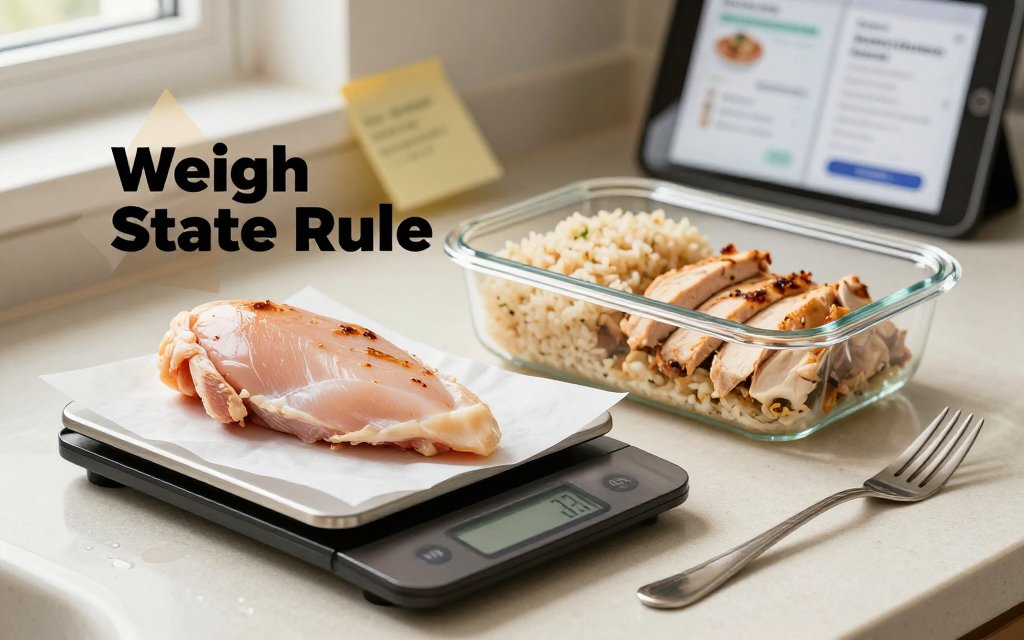
Here is the rule-set that fixes most “my calories are wrong” moments in meal prep: match the database entry to the state you weighed. If the scale saw raw food, log a raw entry. If the scale saw cooked food, log a cooked entry. That sounds almost too simple, but it is the difference between steady progress and a month of confusing swings. The goal is not perfection, it is consistency. When you keep weight state consistent, your calorie and macro totals become predictable, your weekly averages make sense, and you stop second-guessing normal portions like a palm-size chicken breast or a cup of rice.
The citation hook rule to remember
Memorize this one sentence and you will log meal prep correctly more often than not: “Calories stay with the food, weight changes with water; log using the same raw or cooked state as your database entry.” Cooking changes moisture, and sometimes fat, so the grams on your plate shift even when the underlying energy stays with the ingredients. USDA yield research tracks how meat and poultry weights change with cooking, including moisture and fat losses, which is why raw and cooked database entries can look very different per 100 g. You can see the idea summarized in the USDA cooking yield table. Grilling often dries foods out more than braising, pasta gets lighter when you drain it, and pan-frying can pick up extra oil.
Why this matters for tracking: most nutrition databases are “per gram of the food as described.” Cooked chicken is lighter than raw chicken because water leaves, so cooked chicken usually has more calories per 100 g than raw chicken, even though the same piece of chicken did not magically gain calories. That is how you “over-log” without realizing it. Example: you weigh 200 g of raw chicken breast, then accidentally choose a cooked chicken entry for 200 g. Since cooked entries are typically around 165 calories per 100 g (versus about 120 per 100 g raw), you could log about 330 calories instead of 240, a sneaky 90-calorie bump. Rice can flip the other way: weigh 60 g dry rice, but log 60 g cooked rice, and you might log around 80 calories instead of roughly 220, which is a big under-log for a small scoop.
If you want a simple way to decide in the moment, use this tiny flow. It works whether you are cooking once for the week or building a single dinner plate. You are basically asking two questions: “What did I weigh?” and “What does my database entry describe?” Line those up, then move on with your day. If you are in a rush, pick one approach (all raw weights for meal prep, or all cooked weights for plated portions) and stick to it for a few weeks so your trend line stays clean.
A common mistake: mixing states in meal prep
Mini story you might recognize: you batch cook 2 lb of chicken breast on Sunday, slice it, then weigh portions from the cooked container all week. On Monday, you scoop out 5 oz cooked chicken for a salad, but you log “chicken breast, raw” because it is the first result you see. Cooked chicken is denser, so 5 oz cooked represents more chicken than 5 oz raw. Your log ends up too low, and you wonder why hunger is higher than expected. The reverse mistake also happens: you weigh the raw batch as 2 lb, but you log it as 2 lb cooked, which inflates calories and protein for the week. Either way, your daily totals can drift enough to hide a real deficit.
A fast sanity check: if your portion looks normal but the calories look extreme, you probably mixed raw and cooked states. A palm-size piece of chicken should not suddenly log like a fast-food sandwich. A half-cup of dry rice should not log like a few bites. When this happens, do not panic and do not “fix” it by skipping food later. Just correct the entry so the state matches the weigh-in. If you are tracking for a specific goal like appetite support or muscle retention, it also helps to keep protein and fiber targets steady. That is especially true for people using appetite-suppressing medications, so consider pairing this habit with GLP-1 protein and fiber tracking for a cleaner, more reliable day-to-day plan.
If you weighed it raw, log a raw entry. If you weighed it cooked, log a cooked entry. If calories look wildly high or low for a normal portion, pause and check the state first.
Keep the decision flow sticky by using a one-line question before you hit “save”: “Is this entry describing what my scale saw?” If yes, you are good. If no, swap the entry or re-weigh in the correct state. Over time, you will learn a few personal defaults that make life easy, like always weighing raw proteins before cooking for batch prep, and always weighing cooked starches when you serve them. That consistency makes your weekly calorie average far more useful than chasing perfect numbers on any single day. If you have a medical condition or a history of disordered eating, talk with a clinician before making big changes to tracking habits.
Batch cooking math that never fails
Meal prep gets frustrating fast if you try to log every serving by “whatever the cooked weight is today.” One night your chicken looks smaller, your rice is fluffier, your pasta holds more water, and suddenly your calorie log swings by 200 to 400 calories even though you cooked the exact same ingredients. The fix is simple and totally reliable: count the calories for the whole batch (from the raw ingredients and any oils or sauces), then divide the batch into portions based on the cooked weight you actually serve. This works even if your pot lid was cracked, your rice cooker ran longer, or your pan ran hotter, because the only thing changing is water, not the calories you purchased and cooked.
The batch method: log ingredients, not guesses
Here is the batch method in plain English, with no “cooked vs raw” converter needed. First, weigh your ingredients raw when you can, especially dry staples (rice, pasta, oats) and raw meats. Next, log those ingredients using raw database entries, including the sneaky calorie sources like 1 tbsp (14 g) olive oil, 30 g shredded cheese, or 2 tbsp teriyaki. Then cook as usual. After cooking, weigh the entire finished batch in grams (for example, the whole pot of cooked rice, or the whole pan of cooked chicken and veggies). Finally, portion your meal by cooked weight, because that is what lands on your plate.
The math is steady: total batch calories ÷ total cooked grams = calories per cooked gram. If your batch totals 1,800 calories and the cooked weight is 1,200 g, then each cooked gram is 1.5 calories. A 300 g container is 450 calories, every time, even if your next batch cooks out to 1,100 g instead. This is also a great moment to make your portions feel bigger without adding many calories, by bulking the batch with high-volume foods like zucchini, peppers, mushrooms, or cabbage. For more easy “bigger plate” ideas, use energy density hacks for fewer calories alongside this batch math.
| Food | Log as | Portion by |
|---|---|---|
| Rice | Dry entry | Cooked grams |
| Pasta | Dry entry | Cooked grams |
| Oats | Dry entry | Cooked grams |
| Potatoes | Raw entry | Cooked grams |
| Chicken breast | Raw entry | Cooked grams |
| Ground beef | Raw entry | Cooked grams |
Staples that absorb water: rice, pasta, potatoes
Absorption foods are where most logging mistakes happen. Dry rice, dry pasta, and dry oats all soak up water during cooking, so the cooked weight can jump 2x to 3x. The calories do not multiply, the water just spreads the same calories across more grams. This is why “cooked vs dry calories” feels confusing: 100 g of dry rice is very calorie-dense, while 100 g cooked rice looks much lower because it includes a lot of water weight. If you want a trustworthy reference point for raw vs cooked entries, cross-check foods in the USDA food database, then stick to the batch method so your portions match what you actually eat.
Worked example (rice): you cook 200 g dry jasmine rice. At roughly 360 calories per 100 g dry, that is about 720 calories total for the pot (before butter or oil). After cooking, you weigh the whole batch and it is 560 g cooked (pretty common for rice, depending on water and steam loss). Your calorie density is 720 ÷ 560 = 1.29 calories per cooked gram. If you serve yourself 150 g cooked rice, you logged 150 × 1.29 = 194 calories. The classic mistake is logging “150 g rice” using a dry entry, which would imply 540 calories, almost triple, because you accidentally counted water as calories.
Worked example (pasta): you boil 180 g dry penne. Dry pasta is often around 350 to 380 calories per 100 g, so call it about 660 calories for the pot. After boiling and draining, you weigh the cooked pasta and get 430 g cooked. Now it is 660 ÷ 430 = 1.53 calories per cooked gram. If your meal-prep container gets 215 g cooked pasta, that is about 329 calories for the pasta itself. If you add 1 tbsp olive oil (about 120 calories) and 120 g marinara (often 60 to 100 calories depending on brand), log those into the batch too, because sauces and oils are where pasta calories quietly jump.
Shrink foods: meat, fish, roasted veggies
Shrink foods flip the problem. Meat, fish, and roasted vegetables usually lose water (and sometimes fat) as they cook, so the cooked weight drops. That makes the calories per cooked gram higher, even if total calories stayed similar. This is why “I logged 200 g cooked chicken breast” can be inconsistent if you do not know which cooked entry your app is using, and whether it assumes roasted, grilled, or stewed. Batch math keeps you honest: weigh 900 g raw chicken thighs, log that raw entry plus any oil or marinade, cook, then weigh the finished tray at 650 g. Every portion is simply its cooked grams times the batch calories-per-gram. For health concerns or medical nutrition needs, check with your clinician.
If your cooked weights change, your calories did not magically change. Track the batch calories from raw ingredients, then divide portions by the cooked grams you actually serve. The math stays true, even if the pot loses water.
Proteins and shrinkage: chicken, beef, fish
Picture a classic Sunday meal prep: you bake a tray of chicken breasts, brown a pound of ground beef for taco bowls, and roast a couple salmon fillets for quick lunches. Then you open your tracker and everything gets weird, because the scale number after cooking is smaller than what you bought. That drop is normal. Heat tightens muscle fibers and pushes out water, and fattier proteins also lose some weight when fat renders into the pan. The tricky part is that cooked weights vary by method: roasting dries more than simmering, and pan-searing plus draining is different from pan-searing and keeping the juices. So two “cooked chicken” entries can be honest and still not match your plate.
Chicken raw vs cooked calories: what changes and what does not
Chicken does not gain calories when you cook it. What changes is the water content, so the calories per 100 g go up because you are looking at a smaller, drier piece of meat. A realistic shrink range for many meats is roughly 20% to 30%, depending on cooking method and how far you take it. For example, USDA cooking yield data lists chicken breast at about 72% yield when baked or roasted (so 28% weight loss), and about 77% yield when poached or simmered (so 23% weight loss). (ars.usda.gov) That is why “100 g cooked chicken breast” is not the same as “100 g raw chicken breast.” If you start with 200 g raw and end with 150 g cooked, the calories you bought are now packed into that 150 g.
This is where database wording matters more than people think. “Chicken breast, boneless, skinless, raw” is a different food record than “chicken breast, meat only, cooked, roasted.” If you ate chicken thighs, make sure the entry matches thighs, not breast. If you ate skin-on chicken (like crispy roasted thighs), pick “meat and skin” instead of “meat only,” because that skin is basically a built-in fat topping. If you shredded chicken after simmering it in salsa, a “stewed” or “poached” style cooked entry will usually be closer than “roasted,” because it retains more water. Your goal is not perfection, it is consistency with the same style of entry each time you repeat that meal prep.
Beef and fish: why method and draining change the numbers
Beef can swing more than chicken because fat can leave the meat, or stay with it, depending on what you do with the pan. Ground beef is the classic example: if you cook 80/20, then drain it well in a colander, your cooked portion is leaner than if you spoon it straight into containers with the grease. USDA yield tables show high-fat ground beef “crumbles” cooked in a pan at about a 62% yield, which is a massive drop in weight that changes calorie density and also changes the fat left behind. (ars.usda.gov) When you search, look for entries that spell out the outcome you actually ate, like “cooked, crumbles, drained” versus “cooked, crumbles, not drained.” Those little words decide whether your taco bowl log is tight or off by a few hundred calories across the week.
Fish usually feels simpler because it is often leaner, but it still shrinks from water loss, and “method calories” can sneak in fast. A 170 g raw salmon fillet might finish at 125 g after baking, and that makes the cooked calories per 100 g look higher even if you added nothing. Then there is the real-world twist: many people pan-sear salmon in oil or finish it with a honey glaze. That extra fat and sugar does not magically show up in a plain “salmon, cooked, dry heat” entry. Same story with tuna: “canned tuna in water, drained” is not the same as “in oil” or “with liquid.” When meal prepping, measure the add-ons once, then reuse the numbers: 1 tbsp oil is about 120 calories, 2 tbsp bottled teriyaki can be 30 to 60 calories, and 2 tbsp pesto can be 160 to 180 calories depending on brand.
If your chicken breast shrank from 200 g raw to 150 g cooked, your calories did not vanish. Log the correct state, or scale by yield, and always add the oil and sauce that stayed in the pan.
If you already cooked it, here is the clean workaround
Sometimes the only number you have is what is in the container right now: cooked weight. That is fine, you just need a repeatable system. First choice: use a cooked database entry that matches your method (grilled, roasted, braised, pan-seared) and the exact cut (breast vs thigh, lean steak vs ribeye, salmon vs cod). If you cannot find a cooked entry you trust, plan a “batch method” for next time: weigh the raw total before cooking, cook it all, then portion the finished food by cooked weight so your servings add up cleanly. For yield nerds, you can also sanity-check with a trusted reference like the USDA cooking yield table when you want a realistic ballpark for shrink.
One last mindset shift that makes tracking feel easier: cooked entries are not “wrong,” they are just specific. If your meal prep chicken is extra juicy (poached, slow-cooked, pressure cooked), your cooked calories per 100 g may look lower than a dry roasted entry because the water stayed put. If your beef is browned hard and then drained, it is a different food than beef cooked gently and served with the juices. Pick the best matching entry, stay consistent, and put your accuracy energy into the big drivers you can control, especially oils, sauces, and whether you drain fats. If you have health concerns or a medical condition, check with a clinician or registered dietitian for personalized advice.
Meal prep logging checklist and quick fixes
Consistency beats precision, especially with meal prep. If your logging approach is repeatable, you will get results even if a cup of rice is off by a few grams or your chicken shrinks more than last week. The goal is not perfect numbers, it is reliable numbers. Pick a method you can actually do on a Tuesday night, then keep doing that same method so your trend line means something. A simple example: if you always log your turkey chili by total batch then portion, your daily calories stay comparable across weeks, even if one batch has slightly more tomato juice and weighs a bit more.
Use this quick-fix checklist when an entry looks wrong (or when your app shows two wildly different options for the same food): - Compare entries by 100 g first. If one says 260 calories per 100 g and another says 120, one is probably dry and one is cooked. - If you scanned a barcode, trust the package calories, then weigh the food in grams to match the label serving size. - For meal prep containers, weigh the empty container once, write the container weight on tape, then tare or subtract it every time. - If your cooked portion weights vary, portion by grams, not by “one scoop.” (Example: decide each lunch box gets 350 g.) - If you already cooked it and only have a raw entry, log the whole batch as raw ingredients, then divide by number of portions.
Your consistency plan for the week
Make one default rule for each situation, then stop renegotiating with yourself at every meal. My practical suggestion: default to raw weighing for ingredients you cook in bulk, because it is easier to repeat and it matches most package labels for grains and meats. Default to cooked entries for restaurant leftovers, because you cannot un-cook them and you usually only have the finished food in front of you. Save custom meals (in CalMeal or any tracker) for repeat meal prep that you make the same way, like “Sunday taco bowls” or “workday oats,” so you are not rebuilding the same recipe five times.
Any time a recipe has multiple ingredients, use “total batch then portion.” Example: you make 4 lunches of chicken, rice, and broccoli. Log raw ingredients into one recipe: 600 g raw chicken breast, 180 g dry rice, 500 g broccoli, plus 10 g olive oil (that oil alone is about 90 calories). Cook everything, then weigh the final batch, for example 1,900 g. If you portion 475 g into each container, each container is 25% of the recipe calories and macros. That method stays accurate even if your chicken cooks down more one week. > If the database looks inconsistent, match the state of the food you weighed (raw or cooked). If you cannot match it, log the full recipe from ingredients, then portion by weight. Consistency makes the math work.
Should I weigh food raw or cooked for macros?
Weigh food in the same state as the entry you are using, then stick with that choice all week. For meal prep, raw is usually easiest because you can measure ingredients before cooking and recipes are repeatable. For leftovers or takeout, cooked is more practical because that is what you have. The key is not “raw is better,” it is “raw with raw entries” or “cooked with cooked entries.” Mixing raw weights with cooked entries is the most common reason macros look wrong.
Rice dry vs cooked calories: which one do I log?
Log the one you actually measured. If you weighed dry rice, use the dry entry (package labels often define servings as dry). If you forgot and only have cooked rice, use a cooked entry like the USDA-based nutrition for cooked long-grain white rice (about 205 calories per 1 cup cooked) from this cooked rice nutrition listing. Calories do not magically change with cooking, but the weight increases from absorbed water, which is why cooked calories per gram look lower.
How do I log meal prep accurately if my database only has cooked or only raw entries?
Pick a workaround that reduces repeat errors. Option 1: build the recipe from ingredients (raw weights), then portion by total batch weight, which bypasses the cooked versus raw mismatch. Option 2: convert your process to match the database by weighing in that same state for the whole week. For pasta, a helpful anchor is that 1 cup cooked spaghetti is about 221 calories according to USDA-reported values summarized by this cooked spaghetti nutrition breakdown. Whichever option you choose, do not switch back and forth midweek.
Ready to stop guessing and start tracking your nutrition today? Download CalMeal for free and log meals faster with AI-powered food recognition that helps you capture what you actually ate, whether you weigh ingredients raw or cooked. Get the app here: iOS or Android. Set your goals, scan your food, and take the guesswork out of calorie counting.
Start Tracking Your Nutrition Today
Download CalMeal for free and take the guesswork out of calorie counting with AI-powered food recognition.

